> ## Documentation Index
> Fetch the complete documentation index at: https://docs.verifyyou.com/llms.txt
> Use this file to discover all available pages before exploring further.
# Creating a verification
> Get a verification live in just a few clicks.
Creating a verification is simple, and you can create as many as you like for different use cases on your platform. Each one carries its own settings, so a strict check before a payout and a light one at signup run side by side.
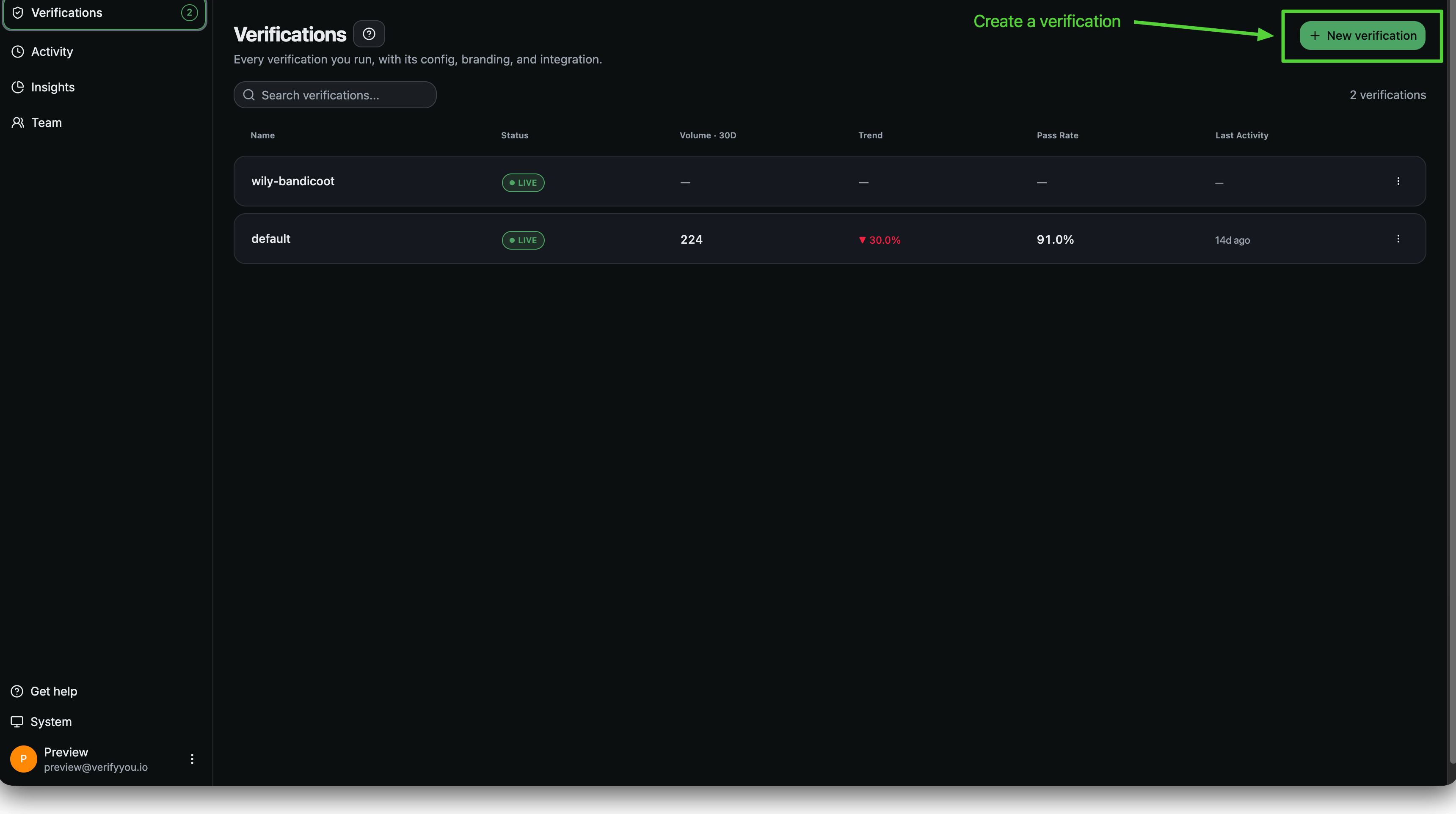
Start from [**New verification**](https://platform.verifyyou.com/dashboard/verifications?new=true) on the Verifications page. Five steps, in this order.
 A short orientation to what you are about to set up. Nothing to fill in, so click through it.
Choose a preset: **Signup Gate**, **Account Sweep**, **AI Data Labeling Fraud Audit** or **Build Your Own**. Then choose your integration method, **No-code** for a link you share, or **Code** for the SDK.
Company name, which people see as "Verifying you for \[name]". A logo is optional. See [Branding your check](/docs/verifications/branding-your-check).
We make tuning the check for your use case easy with [Configuration](/docs/verifications/configuration), which sets how the check behaves: Can the same human pass twice? Do returning users under a different account get allowed, blocked, or flagged for your team's review? Do you tie each human to an email, phone number, or neither?
Questions like these all have a simple solution. [Book a demo](https://sales.verifyyou.com) to walk through this with our team.
No code or code, based on your resource allocation and your use case. No code gets you started with zero developer effort, so you can prove value early without interrupting your roadmap. See [Integration](/docs/verifications/integration).
The preset only sets the starting point. Everything it chose stays editable on the Configuration tab afterwards, and saving there applies to the live check straight away.
**Next:** [Configuration](/docs/verifications/configuration)
A short orientation to what you are about to set up. Nothing to fill in, so click through it.
Choose a preset: **Signup Gate**, **Account Sweep**, **AI Data Labeling Fraud Audit** or **Build Your Own**. Then choose your integration method, **No-code** for a link you share, or **Code** for the SDK.
Company name, which people see as "Verifying you for \[name]". A logo is optional. See [Branding your check](/docs/verifications/branding-your-check).
We make tuning the check for your use case easy with [Configuration](/docs/verifications/configuration), which sets how the check behaves: Can the same human pass twice? Do returning users under a different account get allowed, blocked, or flagged for your team's review? Do you tie each human to an email, phone number, or neither?
Questions like these all have a simple solution. [Book a demo](https://sales.verifyyou.com) to walk through this with our team.
No code or code, based on your resource allocation and your use case. No code gets you started with zero developer effort, so you can prove value early without interrupting your roadmap. See [Integration](/docs/verifications/integration).
The preset only sets the starting point. Everything it chose stays editable on the Configuration tab afterwards, and saving there applies to the live check straight away.
**Next:** [Configuration](/docs/verifications/configuration)