Insights is an aggregated view of all the people running through your verification flows. Activity shows you one person at a time; this shows you the shape of everybody.The period picker at the top drives the charts and counts.
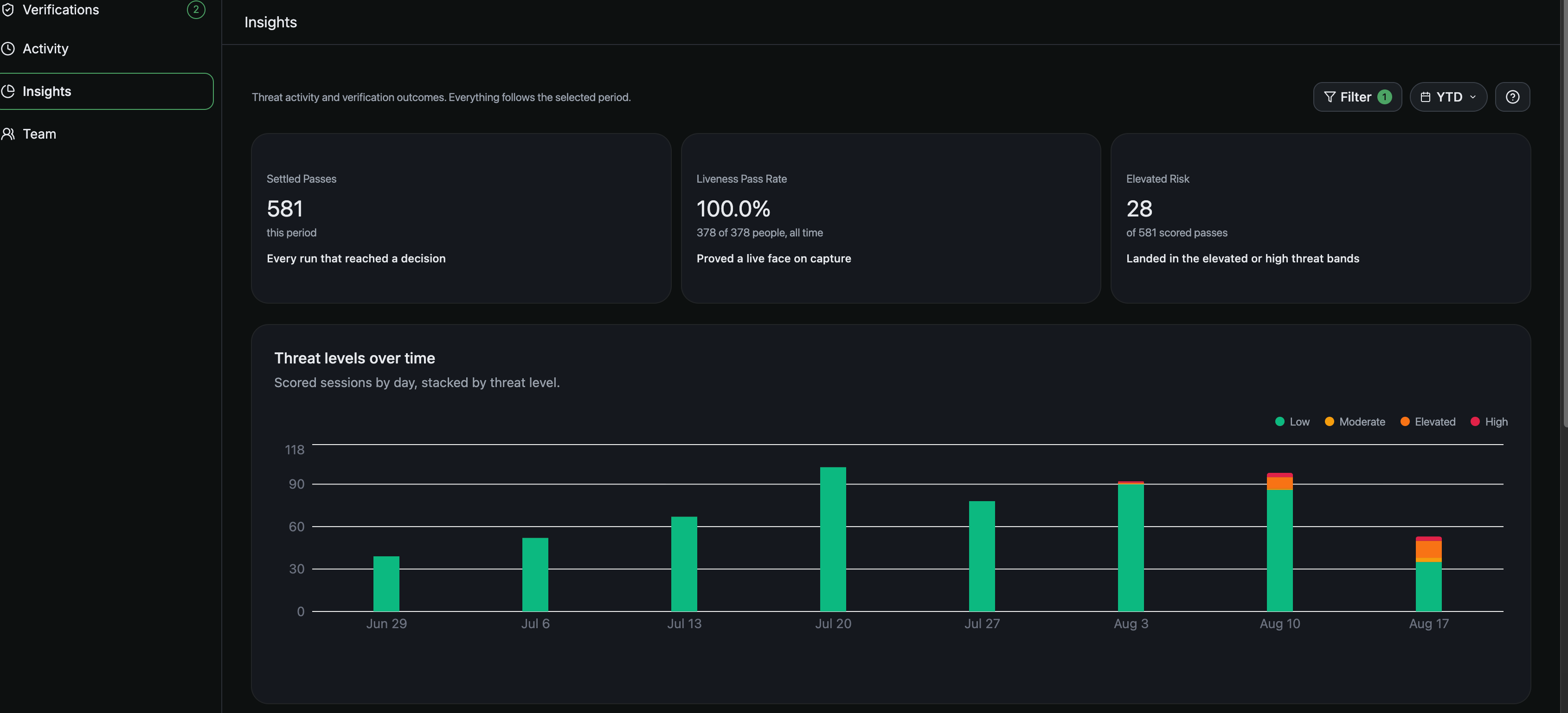
The top of Insights: the three outcome cards, then threat levels over time.
Settled Passes counts every run that reached a decision in the period. It is your volume: what the check actually processed.Liveness Pass Rate is the share who proved a live face on capture. Watch it for friction rather than fraud. When it falls, the usual causes are lighting, cameras and where your traffic is coming from.Elevated Risk is how many people scored into the elevated or high bands, shown against the number of scored passes so you read it as a share of your traffic rather than a raw count.
Threat levels over time stacks your scored sessions by day in four bands from Low to High, so you can see whether a bad day is a spike or a trend.Top threat signals shows what is firing most across scored sessions. Accounts dominating means the same people are coming back. Automation dominating means scripts. Network dominating means proxies and datacenter traffic. Each row opens the matching flags list, and Go to flags takes you to all of them.Top bad actors ranks the riskiest flagged people, lowest trust first, each with their result, the families they tripped and their score. When you want a list of people to work rather than a number, start here.
Session attributes gives the top five countries, platforms, device types and browsers. Look at it when nothing is wrong, so you know what your normal looks like. If your traffic is normally ninety percent one country, the week it is not is the week to look.People covers capture outcomes and the estimates we make: liveness passed against failed, an age range, gender.Risk flags gives the share of people arriving with each of VPN, Datacenter IP, Tor exit, Abuse-listed IP, TLS automation and Fingerprint mismatch raised. This is the one panel where a number does not open into people, so take the finding into Activity and filter for the same thing.Next:Threat levels and signals
Assistant
Responses are generated using AI and may contain mistakes.