

Create your study
- Build your study as usual.
- Leave page 1 empty: your questions start on page 2. Page 1 is where the gate goes.
You now have: a normal Alchemer study with an empty first page.
Connect your study in VerifyYou
- Make sure the method is One-time passwords. If it is set to something else, click Switch method and choose it.
- Under Your survey platform, pick Alchemer.
- Paste your Alchemer survey link, the share link from your study.
- Set how many one-time passwords you need, one per expected respondent. You can always generate more later.
- Click Connect survey. We generate your passwords and hand back your study link.
You now have: your study link (share this one, not your Alchemer link) and your one-time passwords. Click Copy list to copy them for the next step.
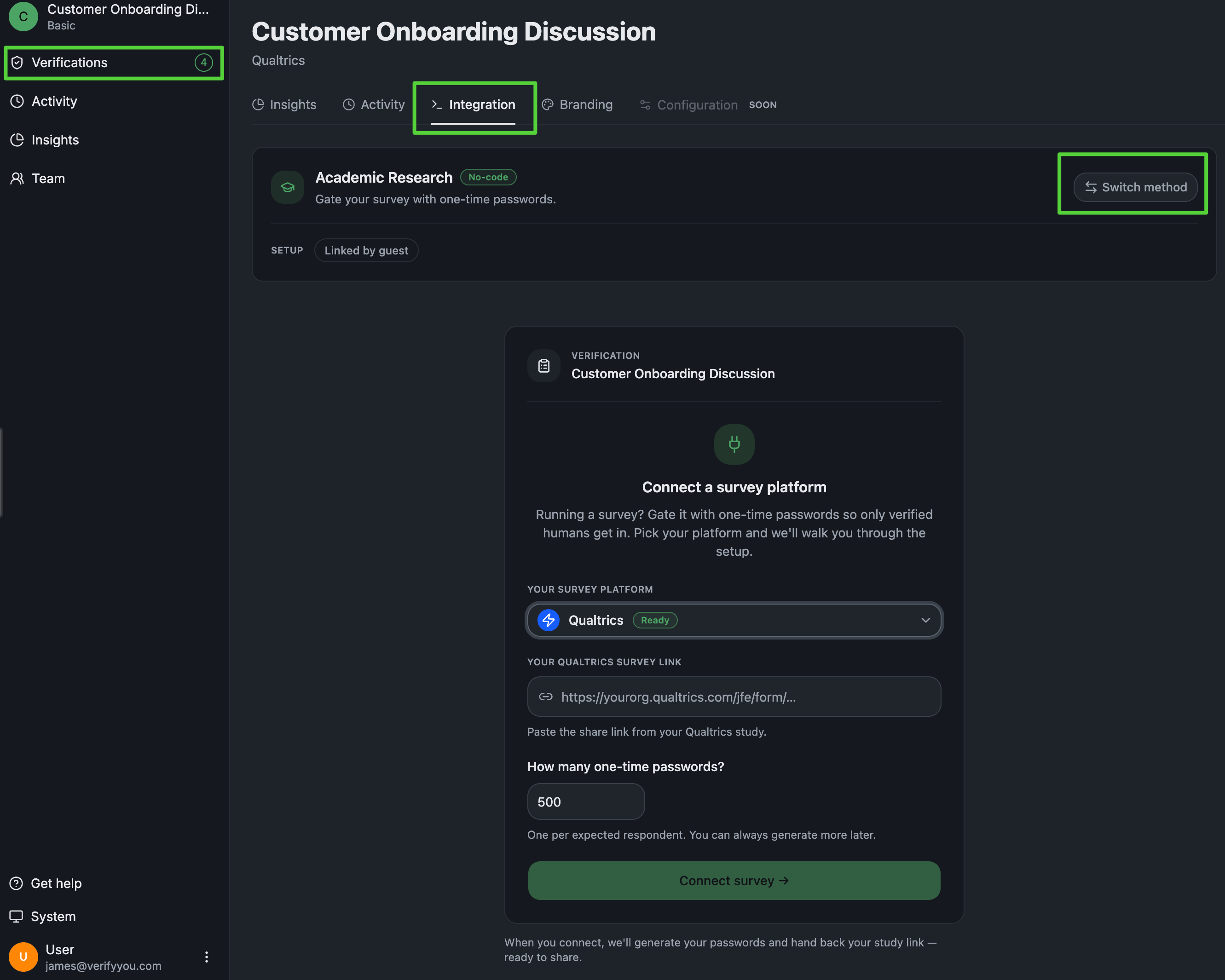
Your VerifyYou dashboard: the Integration tab on One-time passwords. Pick your platform, paste your survey link, and Connect.
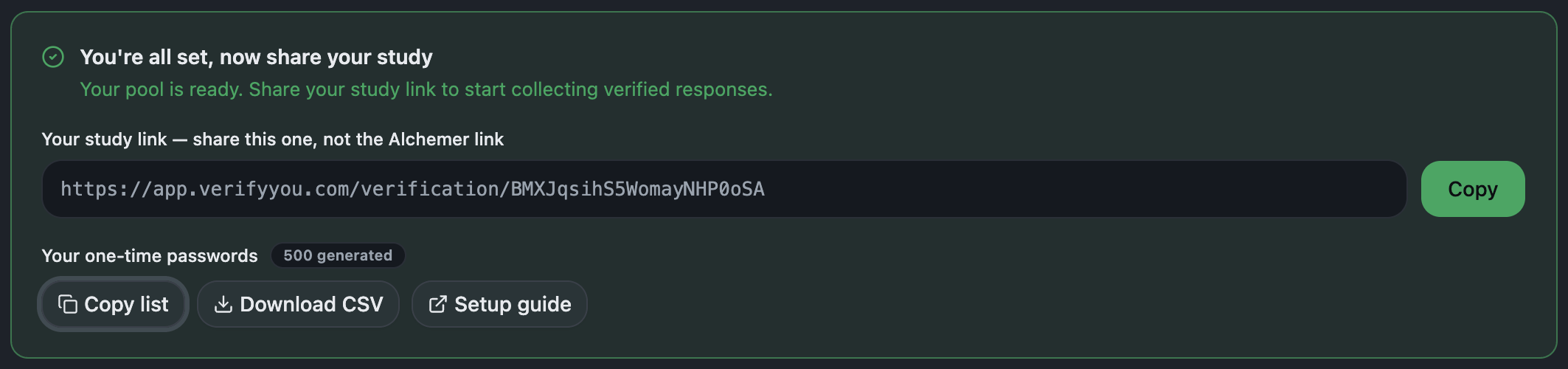
After you connect: the study link to share, and your one-time passwords to Copy list.
Add your passwords to Alchemer
- Click Add New: Action and pick Login/Password.
- Choose “Individual (one-time) passwords that deactivate after use.”
- Paste your password list, one per line, and save. Keep this action alone on page 1.
You now have: a study that refuses anyone without a valid, unused password.
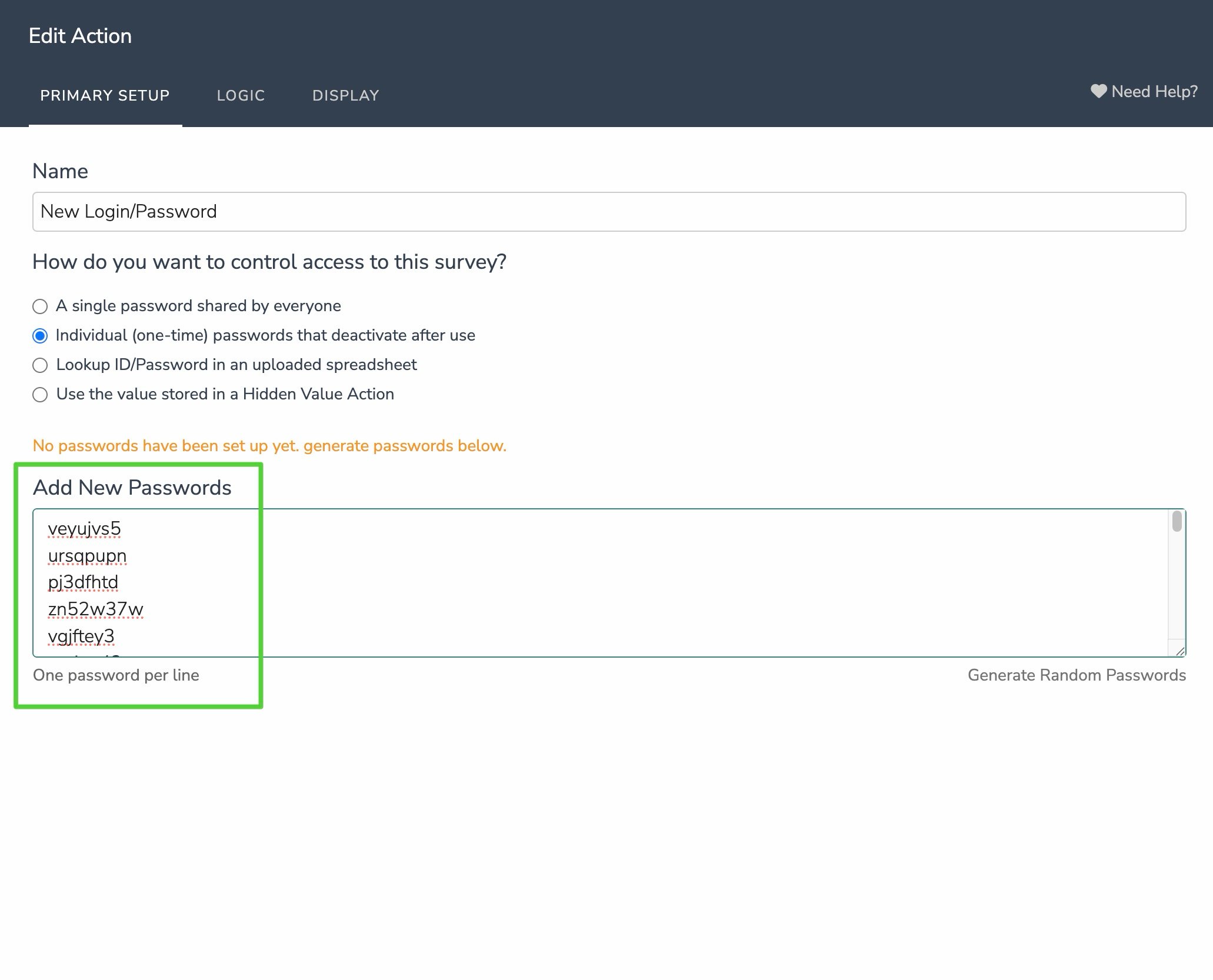
Alchemer's own UI: the one-time password mode, pasted one per line.
Set the password to fill itself in
- Open the Display tab.
- Set Pre-populate Password to the merge code
[url("vypw")]and click Save Action.
You now have: a gate that opens itself for verified respondents. The password lands in the box on its own.
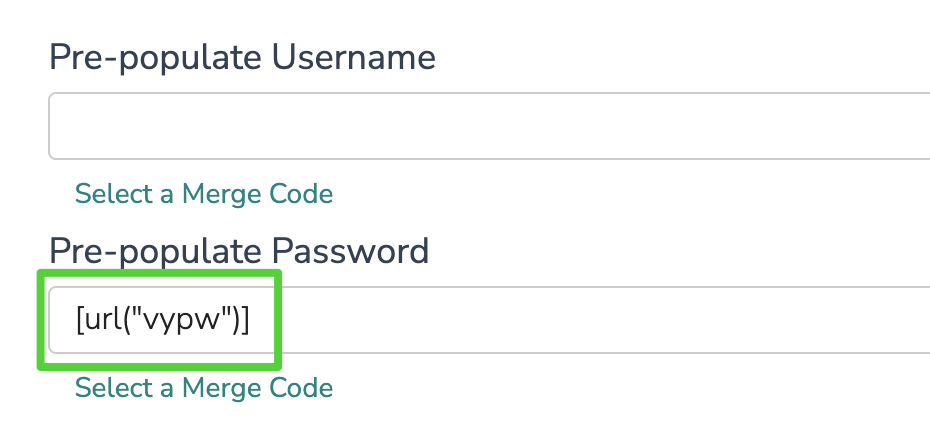
Alchemer's own UI: Pre-populate Password set to the merge code above, so the password fills itself in.
Share your VerifyYou link, not your Alchemer link
app.verifyyou.com/verification/... one, from Copy in the dashboard), never your Alchemer link. This is the whole point: the VerifyYou link sends every respondent through the face check first, then redirects the verified ones into your Alchemer study with their one-time password already attached. Anyone who opens the raw Alchemer link skips the check, so only ever share the VerifyYou link, in your panel, your sample provider, or your invite email.You now have: a fielded study where everyone who reaches your questions came through the check. That’s the whole setup.